Automating Interface Configuration Using NETCONF and YANG Suite
December 10, 2025 • Network Automation
A hands-on lab demonstrating how to configure router interfaces using NETCONF and YANG models with Cisco YANG Suite, focusing on structured and repeatable network automation.
1. Objective
The main objective of this lab is to automate basic network configuration tasks using NETCONF instead of traditional manual CLI commands.
In this lab, we configure a router interface by assigning a static IP address, enabling the interface, and adding a description using YANG models.
The purpose is to understand how model-driven configuration works and how NETCONF helps in pushing consistent, validated, and repeatable configurations on network devices.
2. Why This Matters
In real-world networks, configuring devices manually through CLI is time-consuming and often leads to configuration errors. As networks scale, repeating the same configuration across multiple devices becomes difficult to manage and maintain.
Using NETCONF with YANG helps to:
- Reduce human errors
- Make configurations repeatable and consistent
- Apply standard configurations across devices
- Manage network changes in a controlled and predictable manner
This approach is commonly used in network automation platforms and Network Management Systems (NMS), where configurations are pushed programmatically instead of manually.
3. Lab Environment
The following environment was used for this lab:
- Router: Cisco CSR1000v
- Automation Protocol: NETCONF
- Tool: Cisco YANG Suite
- YANG Models Used:
ietf-interfacesietf-ip
- Operating System: Ubuntu Linux
Cisco YANG Suite is used to explore YANG models and build NETCONF RPC payloads, making it easier to understand how structured configurations are created and applied.
4. Requirements
Before starting this lab, ensure the following requirements are met:
- Cisco YANG Suite installed and running
- NETCONF enabled on the Cisco CSR1000v router
- SSH access enabled and properly configured
- Basic understanding of YANG models and their structure
If you are new to YANG, it is recommended to read my previous post on YANG basics before continuing with this lab.
5. Configuration Tasks
In this lab, we will perform the following configurations on the router:
- Assign a static IP address to
GigabitEthernet2 - Enable the interface
- Add an interface description
6. Automation Approach
There are multiple ways to configure the router using NETCONF, such as:
- Python scripts
ncclientlibrary- NETCONF over SSH
We can also use Cisco YANG Suite to build the NETCONF RPCs and later export them for automation.
YANG Suite is not fully designed for large-scale automation by itself, but it is very useful for:
- Exploring YANG models
- Building and validating RPC payloads
- Exporting payloads for Python or Ansible automation
In this lab, since we are configuring a single router, YANG Suite is sufficient. For large-scale deployments, Python automation would be the preferred approach.
7. Building NETCONF RPC Using YANG Suite
To build the XML payload, we will use Cisco YANG Suite.
If you do not have YANG Suite installed, please install it first. In this setup, YANG Suite is already installed.
7.1 Create Device Profile
Open YANG Suite and navigate to:
Setup → Device profiles
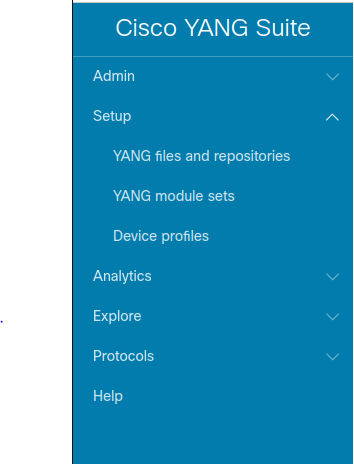
Click Create new device.
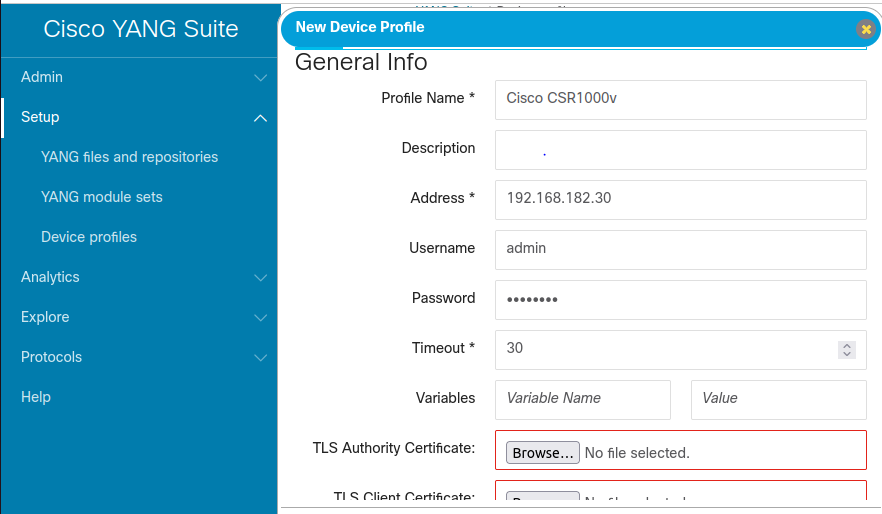
Fill in the required device details.
Make sure to:
- Check Device supports NETCONF
- Select Skip SSH key validation if your device setup requires it
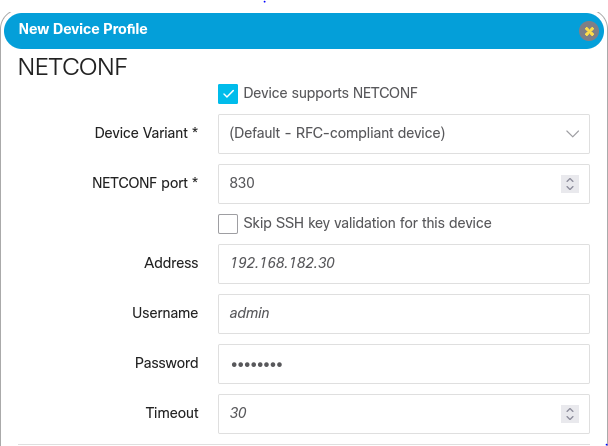
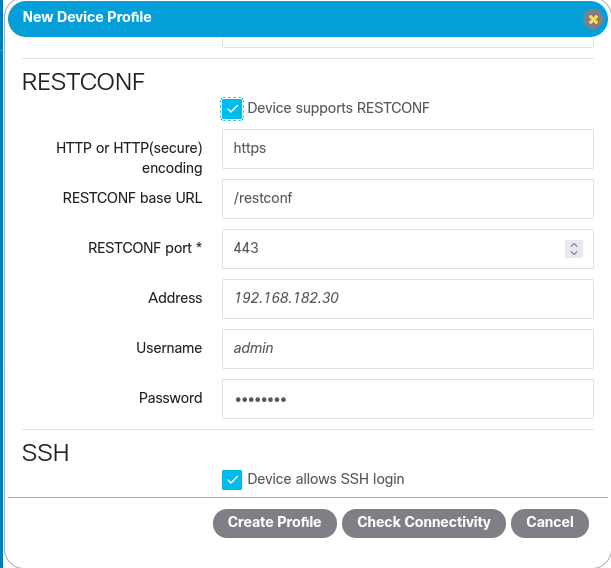
Click Check Connectivity to verify access.
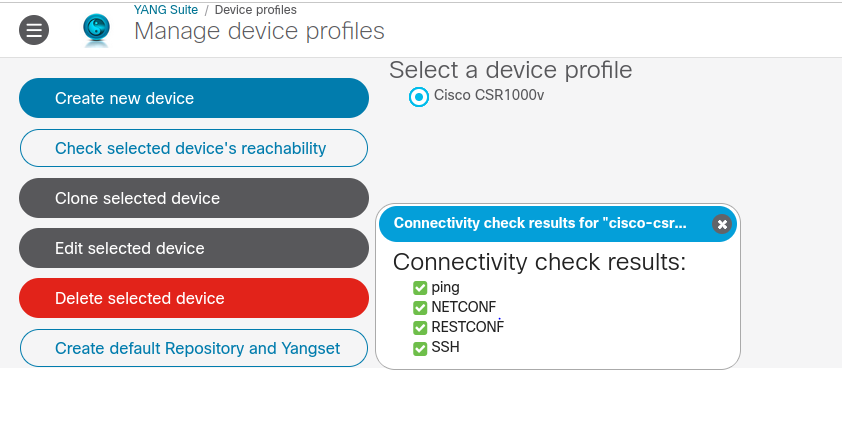
Once verified, click Create Profile.
7.2 Create a YANG Module Repository
In YANG Suite, a repository is a collection of YANG models.
Navigate to:
Setup → YANG files and repositories
Click New Repository, give it a name, and create it.
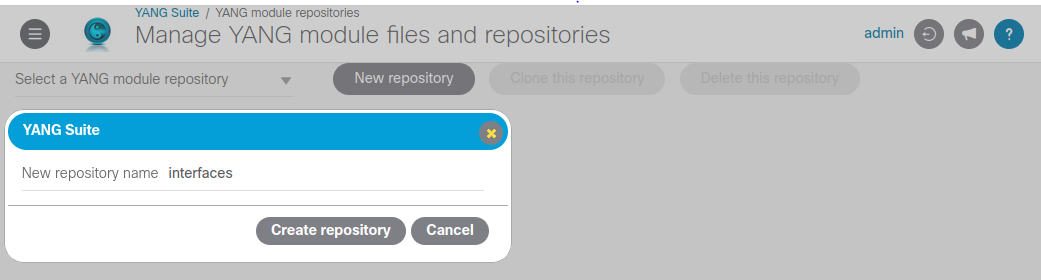
After creation, the repository will be empty.
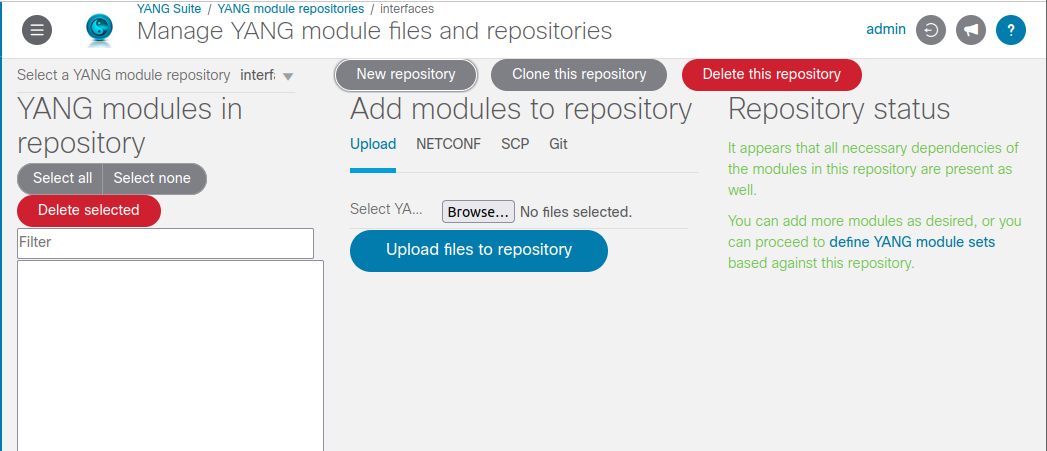
Under Add modules to repository, you can:
- Import models from GIT (OpenConfig or YANG Models repo)
- Or retrieve models directly from the device using NETCONF
Select the appropriate method and click Import.
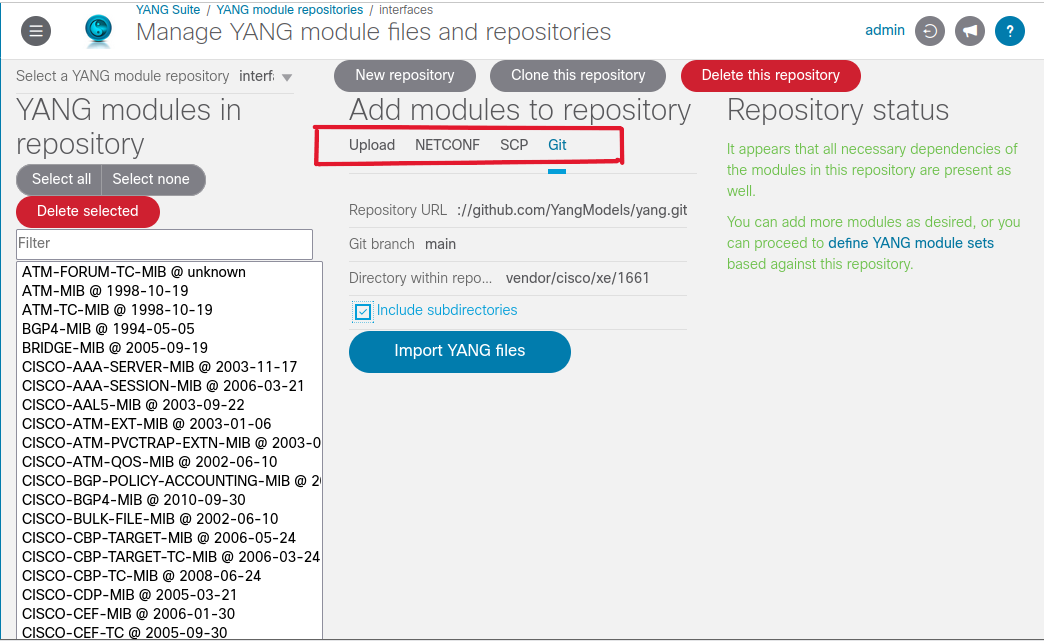
Once completed, the repository will be populated with supported YANG models.
7.3 Create a YANG Module Set
A YANG module set is a subset of models from a repository.
Navigate to:
Setup → YANG module sets
Click New YANG set, name it, and associate it with your repository.
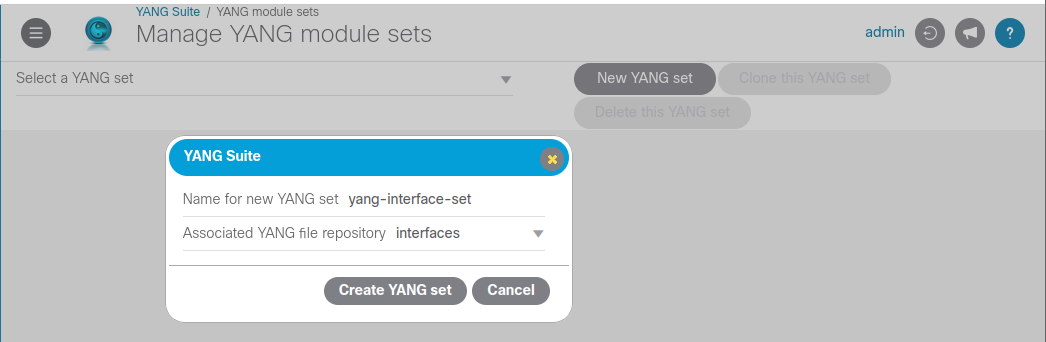
Add the ietf-interfaces module to the set.
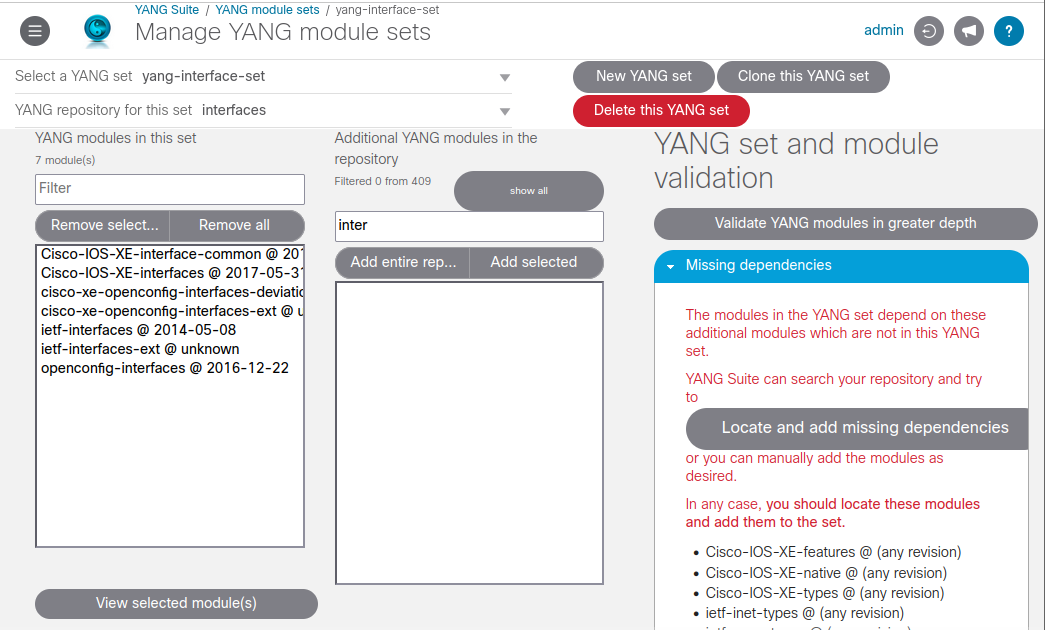
YANG Suite may detect missing dependencies. Click Locate and add missing dependencies to resolve them automatically.
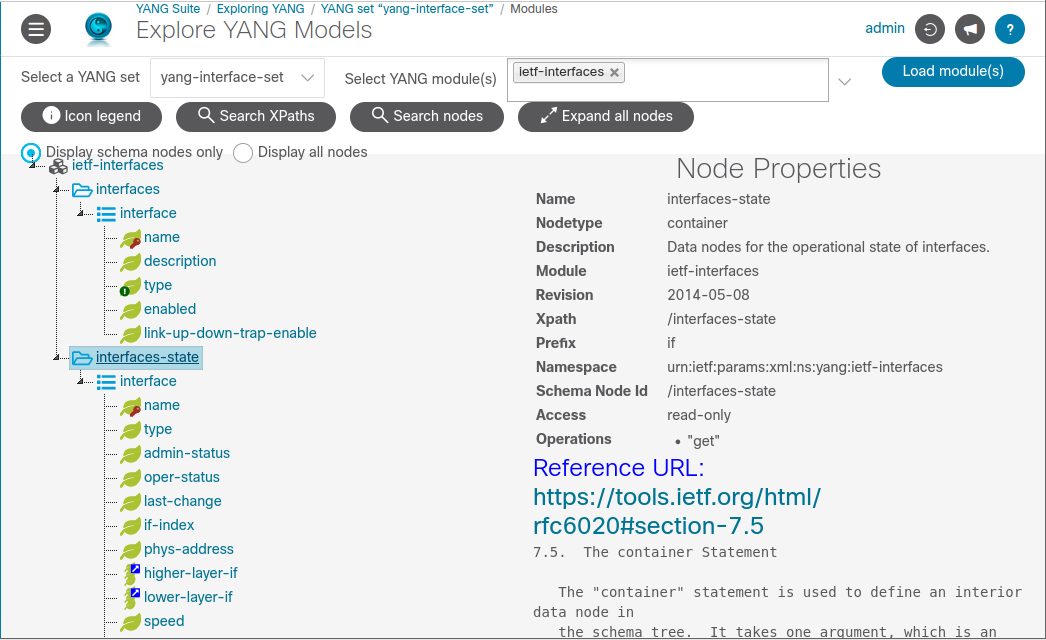
You can now explore the model using:
Explore → YANG
This is one of the best ways to understand YANG structures.
8. Building and Sending NETCONF Messages
Navigate to:
Protocols → NETCONF
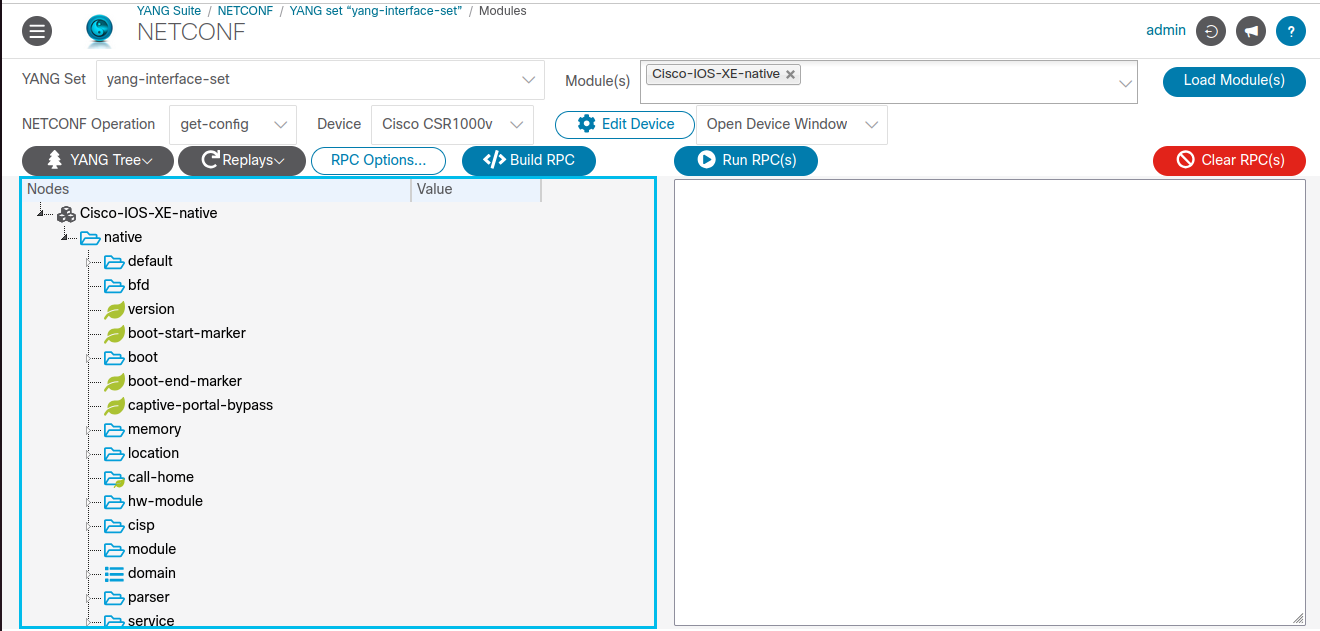
Select:
- The YANG set you created
- The
ietf-interfacesandietf-ipmodules
Click Load Module(s) to view the YANG tree.
8.1 Current Interface State
Below is the current state of GigabitEthernet2.

Our goal is to:
- Add a description
- Assign IP address and subnet
- Enable the interface
8.2 Build the RPC
In Protocols → NETCONF, set:
- Device: Device profile created earlier
- Module:
ietf-ip - Operation:
edit-config - YANG Set: Previously created set
Click Load Modules.
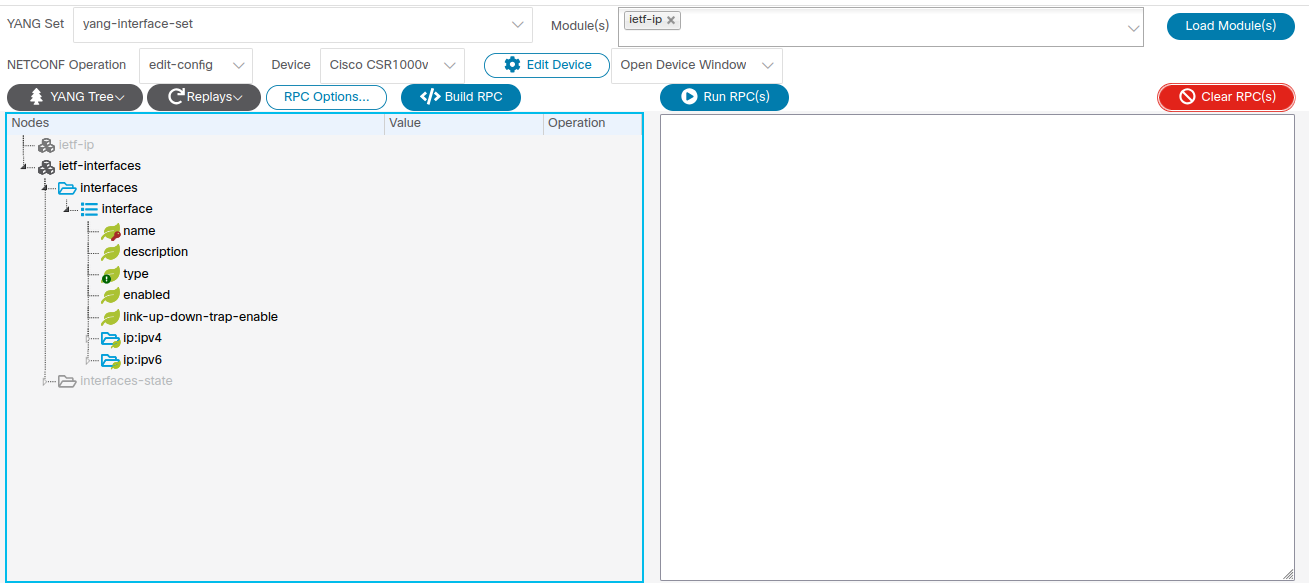
Expand the YANG tree and update the required values.
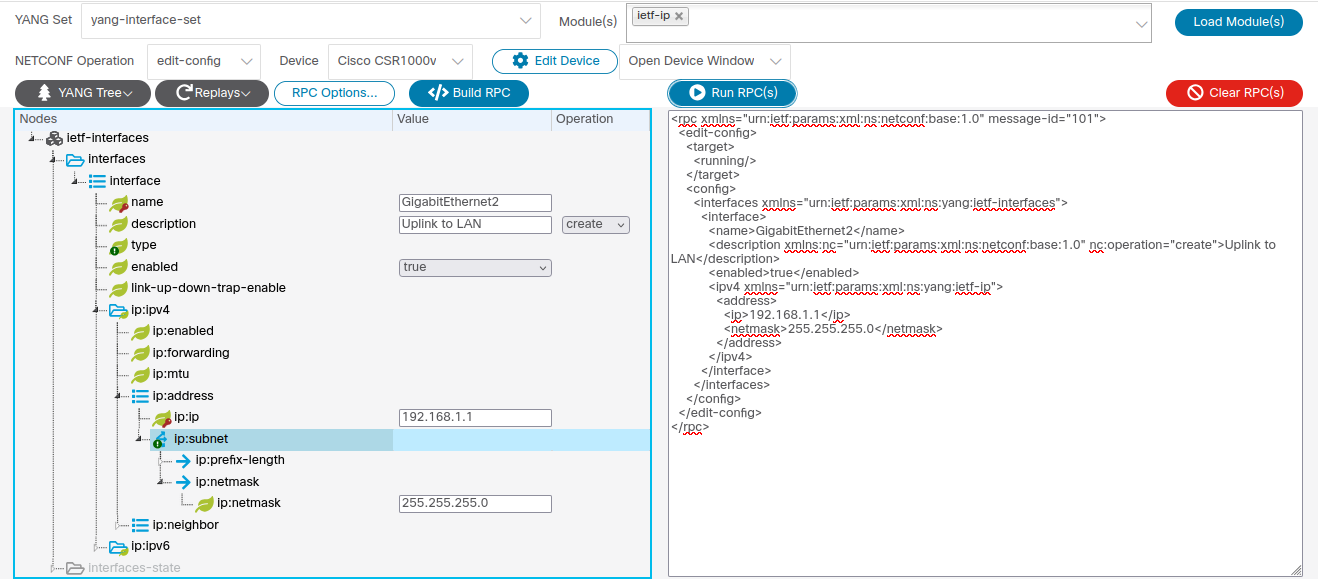
Click Build RPC to generate the XML payload.
Then click Send to push the configuration.
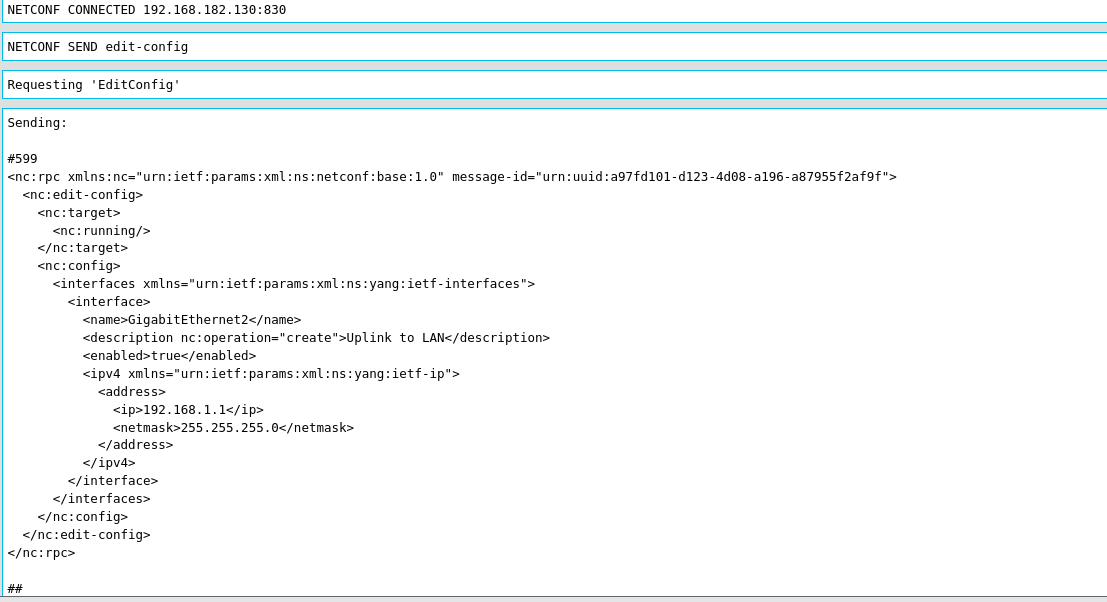
Scroll down to view the reply.
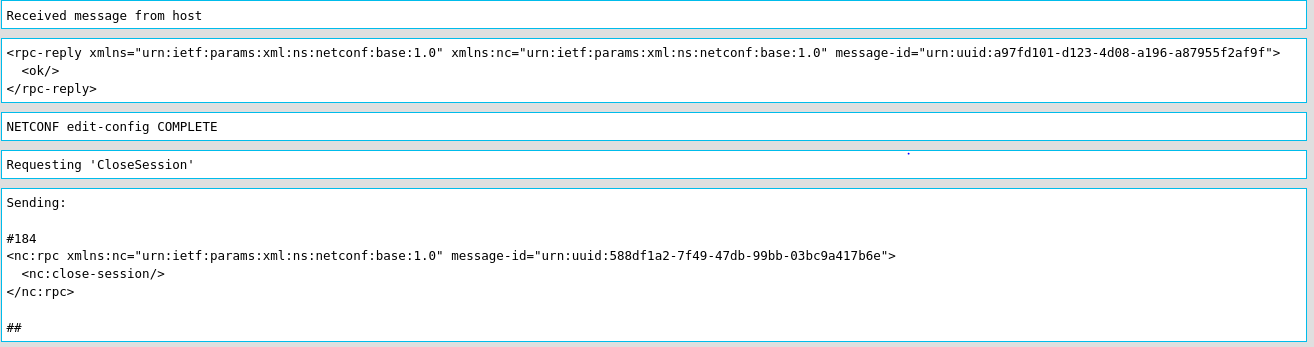
A reply of ok confirms the configuration was accepted.
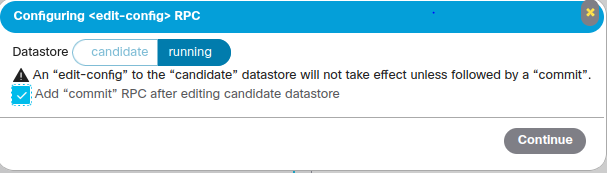
Note: Ensure the Commit checkbox is selected under RPC Options so the configuration is applied.
9. Verification
After applying the configuration, verify it on the router.
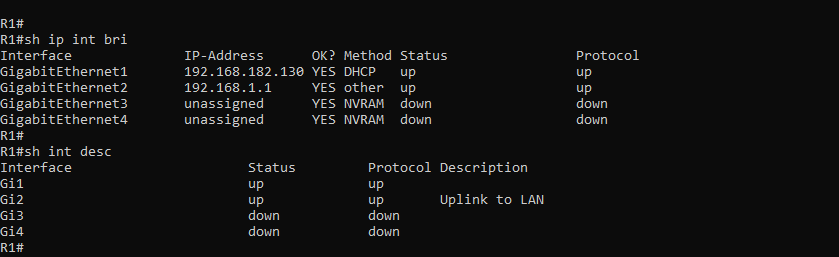
The interface configuration is now successfully applied.
10. Notes and Next Steps
This lab demonstrates configuring a single router interface using YANG Suite and NETCONF.
For configuring multiple routers, the same RPC payload can be exported and used with:
- Python
- Ansible
Under the Reply section, YANG Suite allows exporting the configuration in different formats.
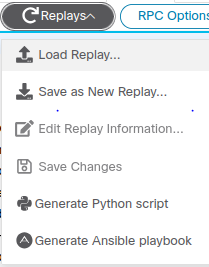
In summary, this lab shows how YANG Suite can be used to:
- Explore YANG models
- Build NETCONF RPCs
- Perform basic device configuration
In the next write-up, we will explore RESTCONF, gNMI, and implement real automation across multiple devices.